The Hidden Risks of Staying on a Legacy POS System
Why retailers are re-evaluating their point-of-sale platforms to secure stability, resilience, and unified commerce. CV
Retailers worldwide are facing rapidly changing demands — from rising cybersecurity threats to the pressure of delivering seamless unified commerce experiences. Yet many organizations continue to rely on decades-old, on-premise POS systems that were never designed for today’s modern retail.
While these systems may seem stable on the surface, they often carry significant hidden risks that impact security, operational continuity, scalability, and customer experience. As the industry shifts toward cloud-native, unified platforms, understanding the limitations of legacy POS has become essential.
Below, we explore the key risk areas retailers should evaluate when relying on outdated POS solutions.
1. Security Vulnerabilities Are Increasing
Cyberattacks targeting retail have grown more sophisticated, and legacy POS systems are often the easiest target.
Older, on-premise deployments typically require manual patching and local maintenance. If updates are missed or delayed, vulnerabilities remain exposed — sometimes for weeks or months. Additionally, traditional POS software may not support the latest encryption standards or modern security frameworks.
Key risks include:
- Missing or delayed security patches
- Higher exposure to malware, ransomware, and data scraping
- Local data storage that is more vulnerable to theft or loss
- Limited compliance with modern PCI compliance and industry safeguards
In contrast, cloud-native platforms provide automated updates, continuous vulnerability scanning, and standardized protection across all locations — significantly reducing risk.
2. Stability and Operational Continuity Decline Over Time
Even if a legacy POS system has “always worked,” long-term operational stability can deteriorate as hardware ages, software becomes harder to maintain, and integrations pile up.
Common issues include:
- Slower transaction times
- Increased downtime from local hardware failures
- Dependency on custom code or outdated integrations
- Store-by-store inconsistencies that complicate operations
Recovery from incidents can also be slow. In on-premise environments, each store or terminal may require individual restoration, increasing the impact of outages.
Modern cloud-native POS systems provide centralized updates, consistent behavior across all stores, and resilient architectures with built-in failover that keep operations running even during disruptions.
3. Legacy POS Makes Unified Commerce Difficult
Customers expect a seamless experience across online, mobile, and in-store channels — but legacy POS systems were never built to support unified commerce.
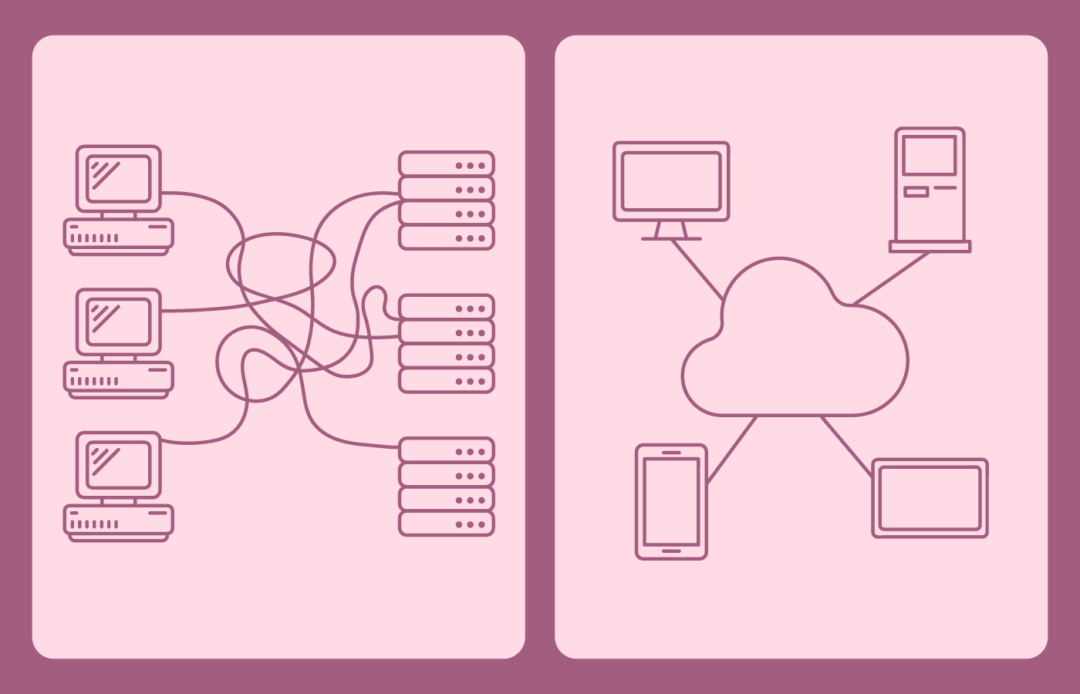
Older platforms run in silos, leading to fragmented data and inconsistent experiences.
Typical challenges include:
- Different pricing or promotions across channels
- Slow or unreliable real-time stock updates
- Difficulty integrating e-commerce, loyalty, or CRM systems
- Complex, expensive integrations when launching new channels
- Multiple engines (POS, e-commerce, CRM) each holding their own logic
This fragmentation limits a retailer’s ability to innovate, reduces agility, and creates overhead for IT and operational teams.
A unified platform built on one engine — where pricing, promotions, checkout logic, and product data are consistent across all channels — eliminates these problems and creates a true unified commerce foundation.
4. The Cost of Inaction Adds Up
While keeping a legacy POS may seem cost-effective in the short term, it often becomes more expensive over time due to:
- Increased maintenance and support
- Higher cost of securing outdated systems
- Slower rollouts of new features or services
- Greater operational complexity
- Hardware upgrades and lifecycle management
- Lost sales during downtime or checkout slowdowns
These hidden operational costs frequently exceed the investment required for a modern platform.
5. A Modern Unified Architecture: The Plantagen Example
Retailer Plantagen migrated to a modern, cloud-native architecture designed around a single engine — powering online, mobile, and in-store channels with the same pricing, promotion, and checkout logic.
The result:
- Greater stability across all 120+ stores
- More consistent customer experiences across channels
- Faster rollouts of campaigns and updates
- Reduced maintenance overhead
- A future-proof foundation for unified commerce
This example highlights how moving away from legacy POS is not just a technology upgrade — it is a stability and business-continuity decision.
Conclusion: Modern Retail Requires Modern Foundations
Staying on a legacy POS platform exposes retailers to unnecessary risks: security vulnerabilities, operational instability, and the inability to deliver unified commerce at scale.
By transitioning to a modern, cloud-native POS platform built for resilience and consistency, retailers gain:
- Stronger security and automated protection
- Stable operations with built-in failover
- A unified, consistent experience across all channels
- Lower long-term operational costs
- Increased agility to meet future retail demands
A POS system is more than a checkout tool — it’s the backbone of the retail experience. Ensuring it is secure, scalable, and unified is essential for long-term success.