POS for Retail Stores: 6 Key Features for Success
Selecting a POS system for your retail stores? Here’s the checklist of features you need for future-ready selling.
Retail is in constant motion…. Customer expectations are evolving, AI is changing how people discover and buy products, and agentic commerce could soon make parts of the buying journey more automated and frictionless. Meanwhile, shoppers expect the same prices, products and experience whether they’re browsing online, using an app or standing at the checkout.
All of this puts more pressure on your chosen Point Of Sale (POS).
Modern POS software for retail shop operations needs to deliver more than simple transactions. Your checkouts should connect to your retail ecosystem, keep information flowing and give you the flexibility to adapt as new technologies and customer behaviours emerge.
So no matter if you’re reviewing your current platform’s capabilities or comparing retail POS solutions, use this checklist to see what your POS should be bringing to the table.
Feature 1: Open, seamless integrations
A modern POS should integrate seamlessly with your existing IT landscape.
Look for open APIs and a flexible architecture that can connect with ecommerce, ERP, inventory, loyalty, payments and other retail systems without creating yet another silo.
What to ask for: API-first architecture, open integrations and real-time data exchange.
Business impact:
✅ Fewer technology silos
✅ Less duplication
✅ More freedom to innovate
Feature 2: Built-in AI capabilities
AI is moving from a future capability to an everyday retail tool. Your POS should be ready to harness it.
That could look like AI-powered store assistants, smarter automation, intelligent recommendations or new ways to turn retail data into action. The important thing is a solid data and technology foundation, so you can adopt AI capabilities as they emerge, without needing to replace your POS entirely.
What to ask for: A platform built on open APIs and real-time data, ready to support practical AI use cases as they develop.
Business impact:
✅ Make faster decisions
✅ Automate repetitive work
✅ Create more relevant customer journeys
Feature 3: Unified pricing and promotions
Your POS should apply the same prices and promotions across physical and digital channels, managed from one central place, with changes reflected in real time. That means fewer manual updates, fewer errors and no awkward "but - it's cheaper online" conversations at the till. The goal is: One customer. One basket. One price.
What to ask for: Central management of pricing and promotion rules, applied consistently at every checkout and channel.
Business impact:
✅ Accurate pricing
✅ Fewer errors
✅ True unified commerce operations
Feature 4: Real-time inventory that can handle complexity
Retailers have enough inventory headaches already. Don't let your POS become part of the problem.
Your checkouts should connect to your inventory and stock systems in real time, so teams and customers get a reliable view of what's available. Whether a customer is buying in-store, using Click & Collect or checking availability online, the data behind it should tell the same story.
What to ask for: Real-time stock connectivity, accurate availability and support for complex retail operations.
Business impact:
✅ Better availability
✅ Fewer disappointed customers
✅ Greater visibility for in-store teams
Feature 5: Flexible checkout experiences
The traditional till isn't going anywhere - but it’s no longer the only checkout.
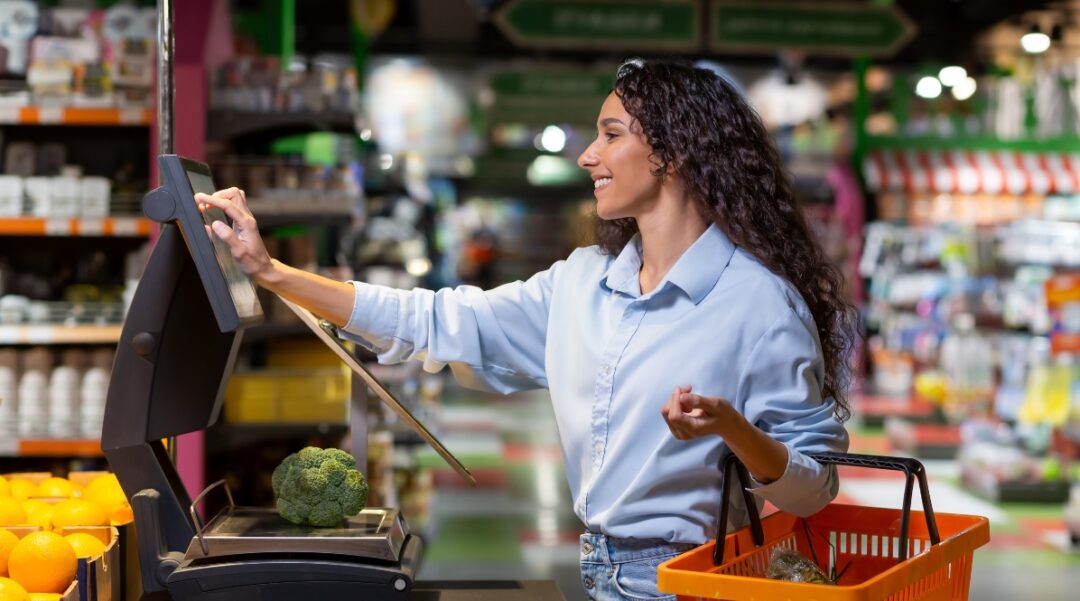
To operate in modern retail situations, POS solutions may need to support stationary POS, mobile POS, self-checkout, Scan & Go and more – all without creating a collection of disconnected systems.
The trick is having one underlying engine and a single set of business logic powering those different experiences.
What to ask for: Multiple checkout options running from one platform and one set of business rules.
Business impact:
✅ More flexibility for customers and staff
✅ Less complexity behind the scenes
✅ Easily scalable operations
Feature 6: Cloud-native, MACH-based architecture
Wi-Fi down? Your stores should keep trading.
A modern checkout solution should be fast to implement, simple to update and resilient enough to keep stores trading through disruption - whether that’s an outage, a cyber attack or something else. Cloud-native, API-first and MACH-based architecture can make it easier to scale and introduce new capabilities without constantly re-platforming.
Look for a POS that can run locally in the store, so checkouts keep working and sales are stored and synced once the connection returns. For example, with Hii Retail, a local store server keeps the checkout engine running, even when the connection to the cloud is lost.
What to ask for: Modular architecture, continuous updates and the ability to innovate without re-platforming.
Business impact:
✅ Less downtime
✅ Stronger resilience
✅ Technology foundation that evolves with you
So, what POS system is best for retail?
If your current system struggles with integrations, relies on manual updates or wasn't built for today's connected retail environment, it may be time to consider your options.
Hii Retail is a cloud-native platform that brings POS and checkout together with pricing and promotions, and connects to your inventory and other retail systems through open APIs. Its open architecture and real-time data give you a foundation ready for AI, designed for flexibility and continuous innovation.